Mattermost: self-hosted collaboration for technical, security-focused teams
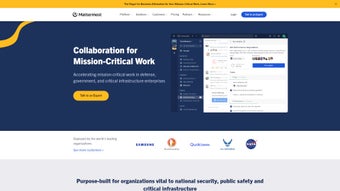
Mattermost, developed by Mattermost, is a self-hosted collaboration platform for secure team communication. The Mac desktop app connects to Mattermost servers and delivers channel-based messaging, file sharing, voice, and screen sharing in a native environment. It supports multi-server tabs, keyboard shortcuts, Playbooks for repeatable workflows, and integrations with GitHub, GitLab, Jira, and Jenkins. Targeted at technical teams and security-conscious organizations, it prioritizes data control and operational integration for development and DevOps workflows.

Unlock your creativity with Adobe Stock
Get 10 images or 1 video with a free trial
What is the app used for?
The app acts as a channel-based collaboration hub for teams that need organized discussion and operational workflows. It offers channel-based messaging, centralized file sharing, integrated Playbooks for repeatable incident response, and voice plus screen sharing. Multi-server support appears as tabs so users can switch between workspaces, and deep integrations with GitHub, GitLab, Jira, and Jenkins connect conversations to development toolchains, which suits engineering and DevOps workflows.
How private are your conversations on the app?
Privacy and control are explicit design goals. The platform enables self-hosting so organizations retain data sovereignty by running servers on-premises or in private clouds. The app supports end-to-end encryption and multi-factor authentication, and it can be deployed behind a firewall or in air-gapped environments. The codebase is open source and auditable, allowing security teams to inspect implementations and align deployments with compliance requirements.
Is the Mac client straightforward to run on desktop hardware?
The desktop client is a native Mac binary compatible with modern hardware. It supports macOS 14 and later and ships as a universal binary for Intel and Apple Silicon Macs. The desktop adds deep linking, keyboard shortcuts, unread badges, and integrated notifications, and it groups multiple servers into tabs. The app requires a server connection to operate, and some users report the interface is less polished than mainstream proprietary competitors.
How do you manage notifications and large teams?
Notification and team-organization tools give users direct control. Desktop notifications are customizable and unread message badges highlight activity. Channel-based structure and Playbooks let teams concentrate incident workflows and reduce noise by focusing discussion. Multi-server tabs help individuals keep separate workspaces visible. These built-in controls provide structural ways to limit interruptions during high-volume periods for larger teams and operational groups.
Reliability and who should adopt it
The app is a pragmatic option for technical teams that require large-scale, host-controlled communication, because the platform supports high-availability configurations designed to scale to thousands of users. Organizations without dedicated operations capacity should plan for deployment and maintenance effort. This makes it suitable for government, defense, and regulated organizations that prioritize operational control over consumer polish.